\
SlashKeysType \shortcut.
Get your full text.
A free, private text expander for your browser — a replacement for the retired ShortKeys Windows app. Your snippets never leave your device.
Free · No account · No cloud · Source on GitHub
\greeting →
Hi there,
Thanks for reaching out! I'd be happy to help you with this.
Best regards,
Thanks for reaching out! I'd be happy to help you with this.
Best regards,
Why SlashKeys
Private by design
Snippets live in your browser's local storage. No server, no account, no analytics. Nothing you type is ever transmitted.
Works where you type
Gmail, Outlook web, LinkedIn, helpdesk tools, CRMs, forums — plain fields and rich editors alike. Password fields are always ignored.
The classic \trigger
The same backslash syntax ShortKeys users trusted for two decades. Instant, inline, no popup menus to click through.
Honestly free
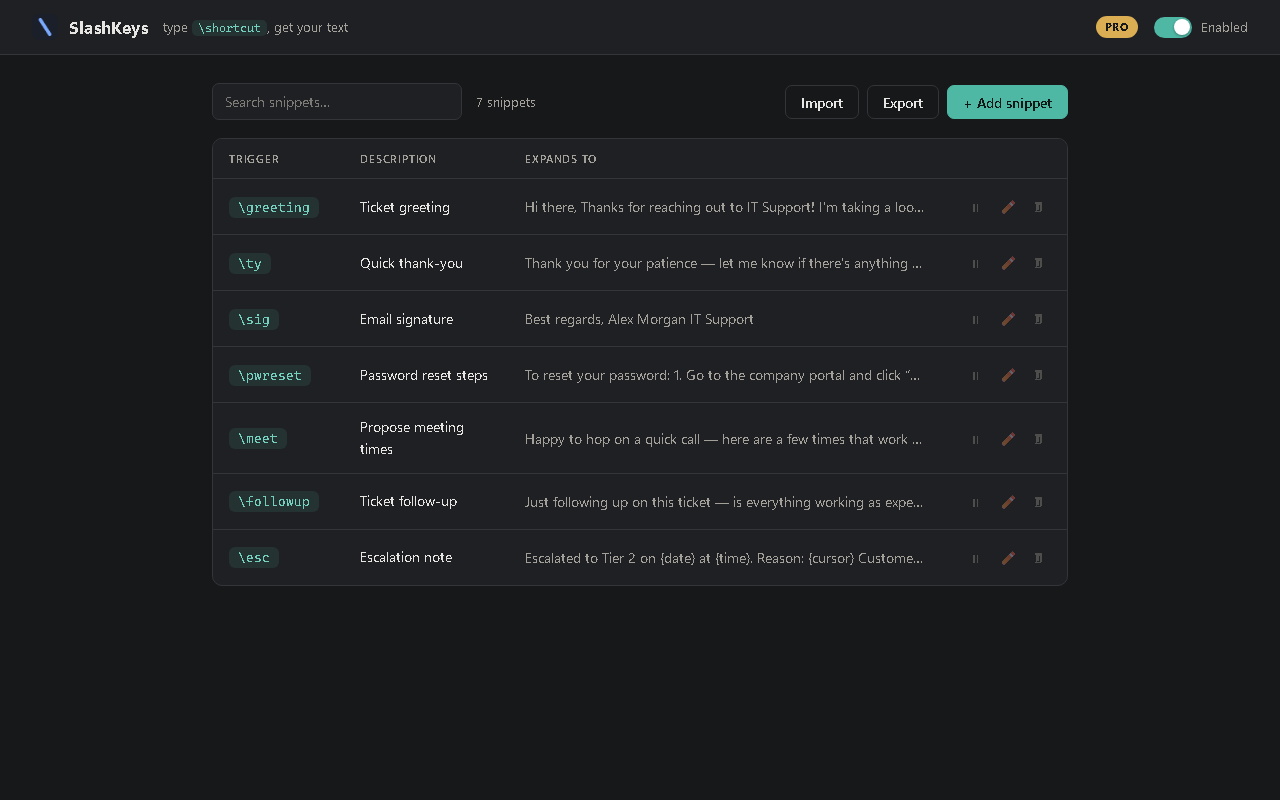
20 snippets with full expansion features, forever. Pro is a one-time $9.99 — unlimited snippets, placeholders, import/export. No subscription.
Switching from ShortKeys?
The ShortKeys Windows app (by Insight Software) has been retired — its website is gone
and there have been no updates since 2017. SlashKeys brings the same
\trigger
workflow to the browser, rebuilt on modern extension APIs. Export your old macros as
tab-delimited text and import them in one click (Pro) — every trigger and replacement comes
with you.
FAQ
- Is it really free?
- Yes — 20 snippets with every expansion feature, forever. Pro is a one-time purchase (not a subscription) that unlocks unlimited snippets, dynamic placeholders like
{date}and{cursor}, import/export, and four extra themes. - Where is my data stored?
- In your browser's local extension storage, on your machine. Read the privacy policy — the short version: we never see anything.
- Why doesn't it expand in the address bar or the new-tab search box?
- Those are part of the browser itself, not a web page — and browsers seal that UI off from all extensions for security (imagine an extension that could read everything you type in the address bar). Rule of thumb: if the page has a URL, SlashKeys works there.
- Does it work outside the browser?
- No — SlashKeys expands text on web pages only. That's the deal: browser-deep, privacy-first.
- Google Docs?
- Not yet — Docs uses a canvas-based editor rather than normal text fields. It's on the roadmap.